
Increasing your sales on Uber Eats and Deliveroo: the levers that count, in the right order

By Tom Voisin, founder of Deliview Published Updated 4 min read
No commitment.

Where do you start to sell more on Uber Eats and Deliveroo?
With what loses you orders without you noticing. A promotion or an ad is useless if the restaurant is closed, rejects orders or shows a rating that puts customers off.
The levers fall into three steps. First, stop losing orders: opening, acceptance, rating. Next, present yourself better: photos, descriptions, prices. Finally, go after customers: promotions, then advertising. Each lever has its own detailed guide, linked below.
1. Stay open for the whole service
A closed restaurant receives nothing, and it is the lever most often forgotten. Uber Eats pauses your orders when you reject several in a row or are slow to accept them. At Deliveroo, an order with no answer after 10 minutes is rejected, and your restaurant stays closed until you open it.
Check your opening hours on both platforms, keep the tablet plugged in and look at your listing at the start of every service. It is all covered in our article on the restaurant closed mid-service.
2. Accept quickly and prepare on time
Both platforms monitor your reliability. At Uber Eats, the Success Score looks at whether your orders are reliable, ready on time and correct. At Deliveroo, the customer’s expected wait counts in the ranking: a preparation time that is too long pushes you down.
On a rush night, it is the settings that count: “Occupé” (busy) mode, out-of-stock items flagged straight away, one person dedicated to the tablets. Our guide to managing the tablets mid-rush covers them in detail.
3. Raise your rating
Your rating weighs everywhere: in Deliveroo’s ranking, in Uber Eats’ Success Score, and in the decision of a customer hesitating between two restaurants. The causes are almost always the same: a forgotten item, a late order, packaging that leaks.
Reply to reviews, especially the bad ones, and fix what they point out. See our article on the Uber Eats and Deliveroo rating.
4. Put a photo and a description on every dish
Customers choose with their eyes, and Uber Eats knows it: the share of your menu with photos or descriptions is part of your Success Score.
Real example: in a burger restaurant in Paris, analysed by Deliview on 2 October 2026, 8 dishes out of 33 had no description on Deliveroo, or 24%. Among its 9 competitors, the share fell to 5%. This gap can be closed without spending a single euro.
To redo your photos with a phone, while following both platforms’ rules, read our guide on dish photos.
To change the menu itself, look at what people in France are ordering in 2026 in our article on delivery trends, then test one dish before changing everything.
5. Bring your prices in line with your area
Customers compare in a few seconds. A dish much more expensive than at your neighbours sells less, and a dish priced too low loses you margin on every order. Uber Eats also tracks the markup on your prices in its Success Score.
Compare the same dish, at the same size, at five to ten competitors, then place yourself against the middle price. The method is in our article on analysing your competitors’ prices, and the floor price calculation in the one on setting your prices.
6. Keep promotions for your quiet hours
At Deliveroo, a restaurant that “is currently running a promotion” (translated from French) moves up the ranking. But a promotion costs you on every order: launched on a service that is already full, it eats into your margin without bringing in anything.
Spot your weakest services, Tuesday lunch compared with other lunches for example, and target them. At Uber Eats, first check that your Success Score still gives you access to promotions. The full calculation is in our article on profitable promotions.
7. Turn to advertising last
Both platforms sell visibility. Uber Eats offers ad campaigns in Uber Eats Manager. At Deliveroo, you set a budget and a cost per view of your menu, deducted every week from your invoice.
Advertising brings customers to your listing: if the listing, the rating or the prices don’t measure up, you pay for them to leave again. Keep it for the end, and read how Uber Eats and Deliveroo rank restaurants first.
8. Don’t lose what you have sold
Selling more is pointless if the money goes back out afterwards. A customer refunded without good reason costs you the order: you have 30 days to dispute on Uber Eats, and 7 days on Deliveroo. See our guide to disputing a refund.
Also look at what each platform really leaves you, once commission, promotions and VAT are counted, with our articles on the Uber Eats commission and the Deliveroo commission.
How do you know whether a change has worked?
Change one thing at a time, and compare the same services before and after: Tuesday lunch with other Tuesday lunches, not with a Saturday night. Give each change at least two weeks before drawing conclusions.
Uber Eats Manager shows your sales, your number of orders and your average basket. At Deliveroo, your weekly invoices give your sales week by week. To track both in the same place, our article on managing Uber Eats and Deliveroo together compares the options, from a free spreadsheet to software tools.
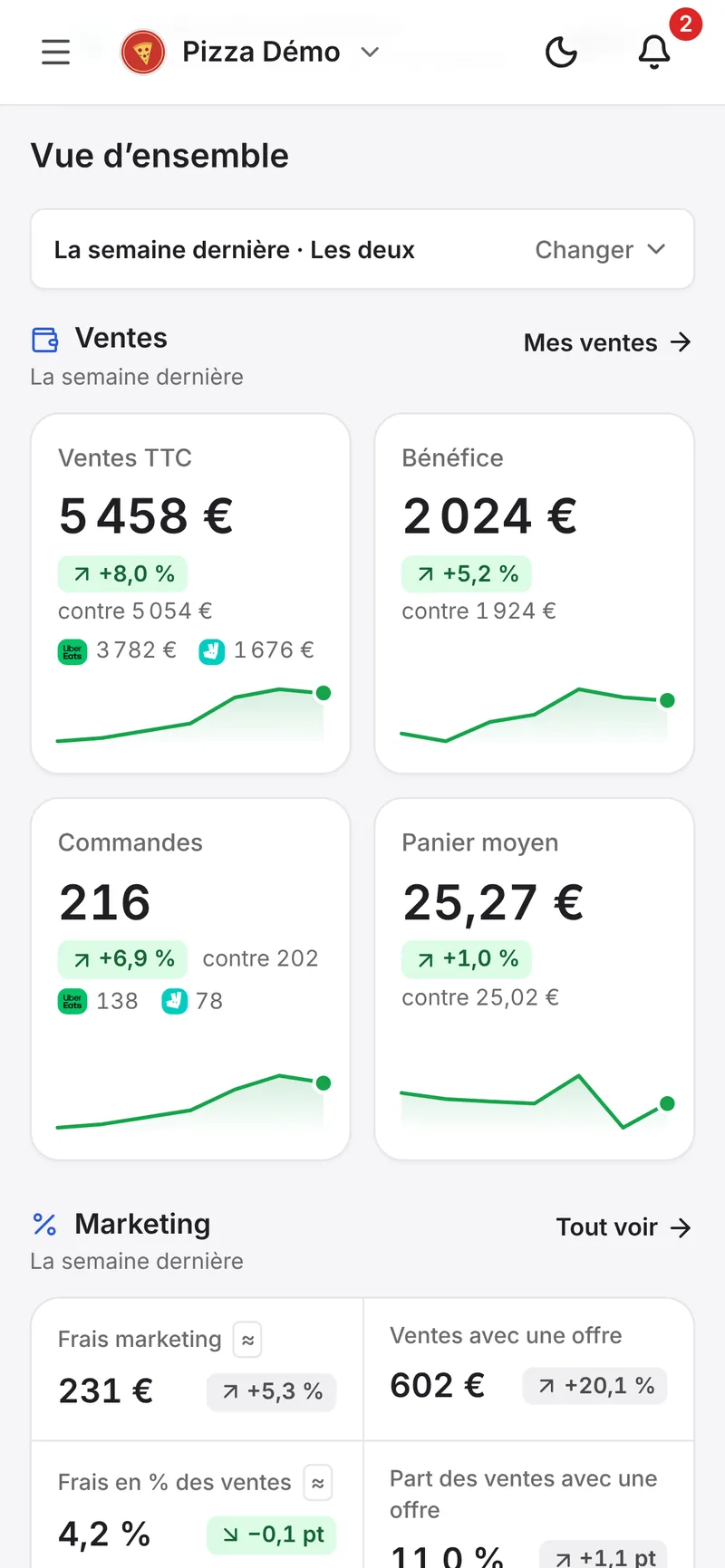
Deliview tracks your sales every day, on both platforms, and tells you where you stand on your sales goals, week after week.
In Deliview
Your Uber Eats and Deliveroo data on one screen
Your sales, your prices against those in your area, your reviews and the refunds to dispute.
Sources
- Success score (France), Uber, accessed 7 October 2026.
- How to manage your restaurant with Uber Eats Manager, Uber, accessed 7 October 2026.
- Pourquoi les commandes sont-elles suspendues automatiquement ?, Uber, accessed 6 October 2026.
- Comment éviter de refuser des commandes ?, Deliveroo, accessed 6 October 2026.
- Comprendre la Notification de Rappel d’Ouverture, Deliveroo, accessed 6 October 2026.
- Classement et référencement de nos partenaires, Deliveroo, accessed 7 October 2026.
- Foire aux questions sur les publicités, Deliveroo, accessed 6 October 2026.


