
Dish photos on Uber Eats and Deliveroo: the rules, and how to retake them with your phone

By Tom Voisin, founder of Deliview Published Updated 6 min read
No commitment.
A rejected photo means a dish left without an image, and a blurry photo sends the customer on to the next restaurant. Uber Eats and Deliveroo publish their rules: here they are, as published in France and read on 6 October 2026, followed by the method for retaking your photos with a phone.
What photos does Uber Eats accept?
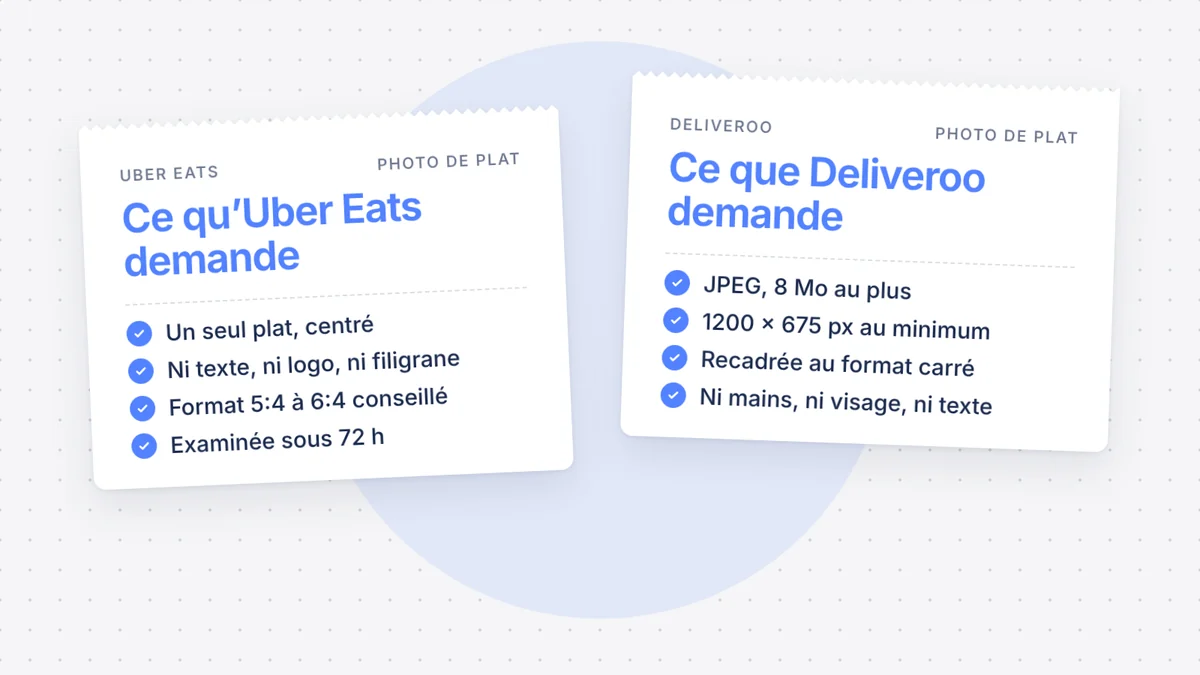
A sharp photo of a single dish, centred, with no text or logo. Uber’s photo guide sets these rules:
| Point | Uber Eats rule |
|---|---|
| File | JPG, PNG or GIF, 10 MB at most |
| Size | Width from 550 to 10,000 pixels, height from 440 to 10,000 pixels |
| Format | Between 5:4 and 6:4, recommended |
| Framing | A single dish, centred, neither in a corner nor cut off by the frame |
| Quality | Sharp, without overly strong shadows or overly dim lighting, with hygiene respected |
| Not allowed | Several dishes, people (hands are tolerated), a logo, a watermark, text |
Text printed on the dish, the packaging or the plate is still accepted. Above all, the photo must “faithfully represent” the dish on your menu (translated from French).
Hands are a grey area. The photo guide tolerates them, but another Uber guide asks you to check that no hands or people from outside your establishment appear. Deliveroo bans them: for a photo that works everywhere, keep them out of the frame.
After you send it, the photo goes for validation: it is “reviewed within 72 hours” (translated from French), according to the help page on the menu. If it is rejected, Uber sends you an email explaining what to do.
What photos does Deliveroo accept?
A JPEG of a single dish, in landscape, large enough to be cropped to a square. Deliveroo’s help page gives these rules:
| Point | Deliveroo rule |
|---|---|
| File | JPEG, 8 MB at most |
| Size | At least 1200 × 675 pixels for a dish, 1920 × 1080 for the cover photo |
| Format | Landscape, then cropped to a square by the platform |
| Framing | A single dish, in the centre, on a simple, plain background |
| Quality | Sharp focus, no visible grain, in natural light |
| Not allowed | Hands, faces, text, watermarks, raw ingredients around the dish, collages, overly visible retouching |
Deliveroo also refuses images from image banks or search engines, unless you hold the rights to them. Each photo is then approved, rejected or reviewed by a person. It is only published once approved.
Its English-language help page, updated on 2 September 2026, adds a rule: “AI-generated images are not permitted on Deliveroo”. Since 27 October 2026, this rule has also been in the contract. A photo created, even partly, by generative AI is banned, as is a photo heavily modified by AI. Cropping or correcting the light is still allowed. See what this rule changes.
To send a photo, open Menu Manager in the Partner Hub (“Portail Partenaire” in French), then “Modifier le menu” (edit the menu). Choose the dish, click “Importer une photo” (upload a photo), then “Enregistrer” (save) and “Publier” (publish).
Do your Deliveroo photos belong to you?
Not if they come from Deliveroo’s photo service. Its photography service terms in France, updated on 23 August 2024, say so plainly: “We hold the intellectual property rights to the Images” (translated from French).
- You use them on Deliveroo only, for the length of your contract
- You cannot put them on a competing platform, such as Uber Eats
- You can neither modify nor retouch them
- Deliveroo can reuse them, including for other restaurants
The service costs from €79 incl. VAT for 15 images to €478 incl. VAT for 125 images. On the Uber Eats side, we found no free photo shoot offered to restaurants in France.
So, for a menu that is identical on both platforms, take your photos yourself, or pay a photographer who assigns the rights to you. Uber points this out too: you must own the images or hold the rights to them.
How do you retake your photos with a phone?
In daylight, right after plating, on a simple background. Uber Eats’ photo tips and Deliveroo’s agree:
- Light: near a window, in natural, indirect light. Uber advises against fluorescent lighting.
- Background: a table or a plain surface, with no objects around. Keep the same background for the whole menu.
- Angle: from above for a dish on a plate or in a bowl, at 45 degrees for a burger or a sandwich.
- The dish: cut burgers, sandwiches, wraps and burritos in half, as Uber advises. Add a garnish only if the customer receives it.
- Timing: shoot as soon as the dish is plated, before it sinks.
- Framing: in landscape, the dish in the centre, with a margin around it. Deliveroo crops to a square and Uber wants a centred dish: the margin covers you for both.
- Format: keep your phone’s 4:3 format, in landscape. It falls within Uber’s range and exceeds Deliveroo’s minimum. Just check the file size: 8 MB at most for Deliveroo. On iPhone, choose “Most Compatible” in Settings, Camera, Formats: photos are then saved as JPEG, the only format Deliveroo accepts.
Avoid overly tight shots, which hide the dish, and filters that change its colours. Deliveroo refuses overly visible retouching, and an overly flattering photo invites customer complaints.
And the dish description?
It matters as much as the photo, and its first words most of all. Deliveroo’s documentation for connected software limits the description to 500 characters, but only the first 60 are shown on the menu page.
So put the essentials first: what is in the dish, and its size. Uber asks you to state “precisely what each dish contains” and the possible allergens (translated from French). Deliveroo points out that “regulations require you to display allergens” (translated from French), and asks you to fill them in even for a dish that contains none.
Do photos really sell?
Both platforms say so, but with figures measured outside France. Deliveroo claims up to 25% more orders, based on a survey of British customers. Uber cites data from restaurants in the United States and Canada.
The safest approach is to measure it yourself. Note a dish’s sales over the four weeks before its new photo, then over the following four weeks, at the same price.
Where do you start this week?
Start with the dishes that sell the most, then those with no photo.
- List your ten best-selling dishes and your dishes with no photo, on each platform.
- Spot the photos that break a rule: text, logo, several dishes, a dish cut off by the frame.
- Retake them in one session, with the same light and the same background.
- Rewrite the first 60 characters of each description.
- Upload the photos to Uber Eats and Deliveroo, then check a few days later that they have been published.
Deliview reviews every photo and every description on your menu, on Uber Eats and Deliveroo, and tells you which ones to redo first. See what Deliview does for your dish listings.
In Deliview
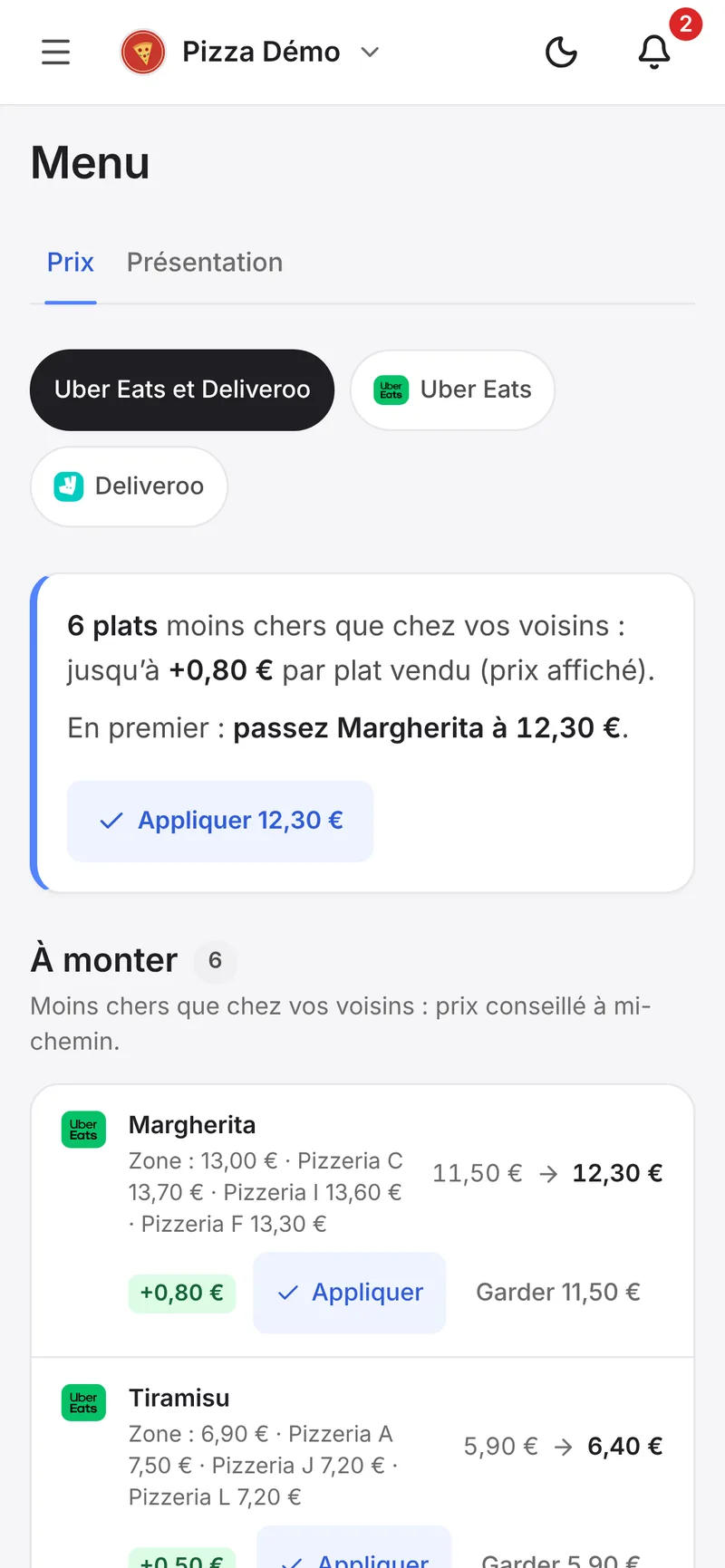
Every dish at the right price against your competitors
Deliview compares your dishes with the same dish at your competitors, and tells you which to raise or lower.
Sources
- Restaurants : guide pour bien photographier vos menus, Uber, accessed 6 October 2026.
- Conseils pour bien photographier vos plats, Uber, accessed 6 October 2026.
- Editer votre menu, Uber, accessed 6 October 2026.
- Comment préparer un menu de restaurant exceptionnel, Uber, accessed 6 October 2026.
- De nouvelles façons de gagner en visibilité sur Uber Eats, Uber, accessed 6 October 2026.
- Envoyer vos propres photos de plats, Deliveroo, accessed 6 October 2026.
- How to upload your own photos in Menu Manager, Deliveroo, accessed 6 October 2026.
- Ajouter, modifier et supprimer des photos de produit dans Menu Manager, Deliveroo, accessed 6 October 2026.
- Conditions Générales du Service Photographies (Deliveroo France, mises à jour le 23 août 2024), Deliveroo, accessed 6 October 2026.
- Nouveautés des menus, Deliveroo, accessed 6 October 2026.
- Menu API : Guidelines (documentation technique), Deliveroo, accessed 6 October 2026.
- Afficher les allergènes sur votre menu, Deliveroo, accessed 6 October 2026.
- Politiques Deliveroo pour les partenaires (politique d’information sur les menus), Deliveroo, accessed 31 October 2026.


