
Uber Eats or Deliveroo refund: how to dispute it and get your money back

By Tom Voisin, founder of Deliview Published Updated 6 min read
No commitment.
A customer reports a missing dish, the platform refunds them, and the amount comes out of your payout. It doesn’t have to end there: Uber Eats and Deliveroo both allow you to dispute. Here are their rules, as read on their help pages on 6 October 2026.
Why do Uber Eats or Deliveroo take money from you?
Because the customer was refunded for an item that was missing, wrong or badly prepared, and the platform charges the cost to you. Both platforms set this out in writing.
At Uber Eats, the French contract is clear: “The Partner is liable for the costs related to refunds made to Customers” (translated from French). Uber Eats France’s guide talks about “deductions applied to your payouts to cover the cost of refunds” (translated from French). Uber’s help page specifies that the amount taken covers the price of the items concerned, “including VAT” (translated from French). It appears on your payment statement one to two weeks after the order.
At Deliveroo, you only pay if the problem is down to you, according to its page on refunds charged to you. It cites three cases: missing or unavailable items, wrong items in the order, an incorrect order handed to the rider. Deliveroo notifies you by email on the day it processes the refund.
| Uber Eats | Deliveroo | |
|---|---|---|
| What is taken | The price of the items concerned, VAT included | The refund, when the problem is down to you |
| Where to see it | Uber Eats Manager, “Commandes” (orders) tab, and the payment statement | Partner Hub, “Ventes” (sales) page, “Remboursements” (refunds) tab |
| When you see it | On the statement, one to two weeks after the order | By email, on the day of the refund |
These deductions come on top of the commission. Our article on the Uber Eats commission shows how they weigh on what you have left.
How long do you have to dispute?
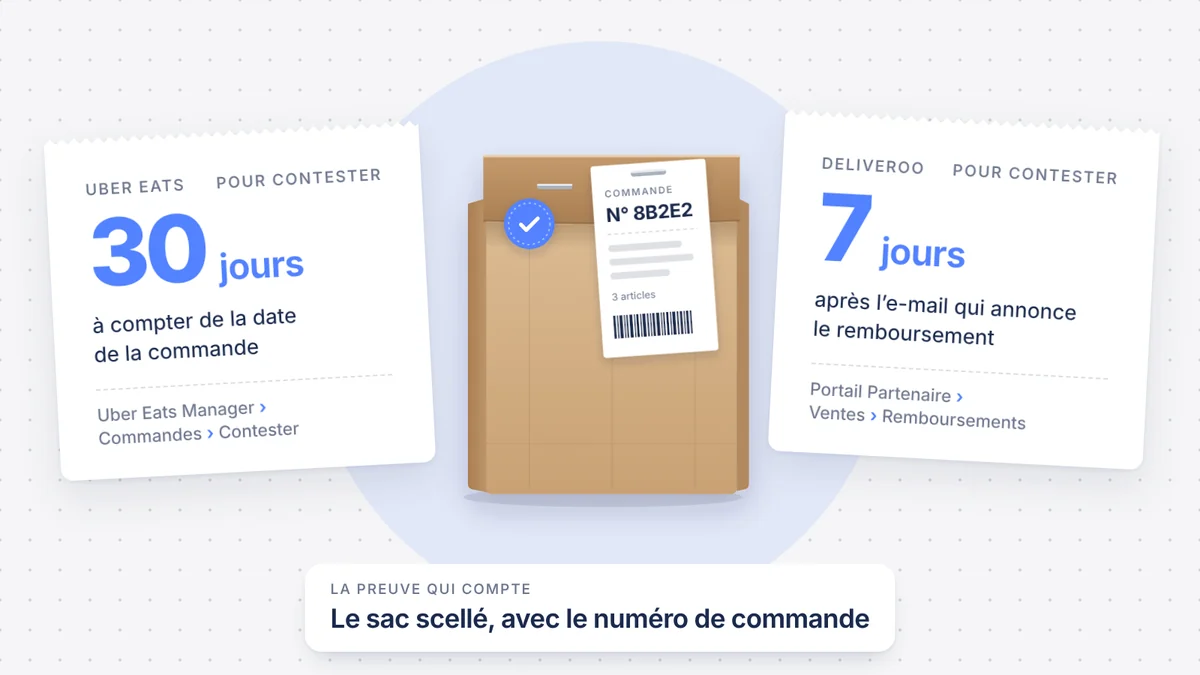
Thirty days after the order on Uber Eats, seven days after the refund email on Deliveroo. Deliveroo’s deadline is the shorter one, and it is the one that sets your pace.
- Uber Eats: its help pages say “within 30 days of the order date” (translated from French). As the deduction only appears on the statement one to two weeks later, in practice you have two to three weeks left.
- Deliveroo: “You must submit a dispute within 7 days of the date the refund was issued” (translated from French). If the dispute is refused, you can reply to the decision email within 72 hours.
The Uber Eats contract also sets a fourteen-day period to dispute a drop in your takings, from the moment you discover it. It doesn’t say whether this period covers customer refunds: so dispute as soon as you see the deduction.
How do you dispute a refund on Uber Eats?
From Uber Eats Manager, order by order. Uber Eats France’s guide to order errors describes these steps:
- Open the “Commandes” (orders) tab.
- Filter with “Remboursements effectués par l’établissement” (refunds made by the restaurant) or “Déduction potentielle” (potential deduction).
- Open the order, then select “Contester” (dispute).
- Choose a reason and describe what happened.
- Attach a photo or a video.
- Follow your request with the “Remboursement contesté” (refund disputed) tag.
You need administrator access to Uber Eats Manager. Uber Eats France’s guide only mentions this level; its help page also accepts the manager role. Uber then keeps you informed by email, without announcing a response time.
Uber promises nothing: “Reversal of adjustments is never guaranteed” (translated from French). It also forbids sharing your Uber Eats Manager login details, including with an outside service. Dispute them yourself, or through a team member who has their own access.
How do you dispute a refund on Deliveroo?
From the Partner Hub, item by item. Deliveroo’s help page gives this path:
- Go to the “Ventes” (sales) page, then open the “Remboursements” (refunds) tab.
- Open the order concerned.
- Select the item or items to dispute.
- Choose your reason from the drop-down menu.
- Attach your evidence, then submit the dispute.
The dispute then moves to “En cours d’examen” (under review), then “Approuvé” (approved) or “Refusé” (refused). If it is approved, the adjustment appears on your next payment statement and your invoice. Don’t reply to the daily refunds email: Deliveroo states in its policies that it no longer reads these replies.
A point about your meal deals: an item without its own price used to be refunded at a flat rate, €0.90 in France. Deliveroo now calculates its value with an AI system. It advises showing a price for each item in the meal deal, so that the refund is calculated as accurately as possible.
What evidence should you send?
Evidence that links the order to what you handed over. A visible order number works for both platforms. Deliveroo also accepts a visible time, close to the preparation.
| Evidence | Uber Eats | Deliveroo |
|---|---|---|
| Photo of the sealed bag | With the order number | With the order number or the order receipt visible |
| CCTV footage | Of the preparation or the packing | Accepted, under the same conditions as photos |
| Ticket | Photo of the confirmed ticket, with the order number | The order receipt |
| Visible time | No published requirement | Without the number: within 20 minutes of the preparation time or the order-ready time |
The simplest thing is to make it a habit. When you close each bag, take a photo with the ticket stapled on and the number clearly legible. Keep these photos for a month: they cover both the Uber Eats and the Deliveroo deadlines.
How do you avoid these deductions?
By checking every bag before handing it over. Both platforms give similar advice on their help pages:
- Check every item against the printed ticket, then close and seal the bag
- Write the order number on the bag, or staple the ticket to it
- Number the bags when an order has several
- Confirm the order number with the rider at handover
- Take a sold-out dish off the menu straight away
- Put up the list of the most frequently forgotten items, such as drinks, at the packing station
Deliveroo cites this last idea in its policies. Our guide to managing the tablets mid-rush explains how to organise the station to limit these omissions.
Where should you start this week?
Start with the refunds you can still dispute, then set up the routine of photographing every bag.
- In Uber Eats Manager, filter the refunds made by the restaurant over the last 30 days.
- Dispute those for which you have evidence, from the oldest to the most recent.
- On Deliveroo, open the “Remboursements” tab every two or three days: seven days go by quickly.
- Note the dishes that often come up in complaints, and rethink their packaging.
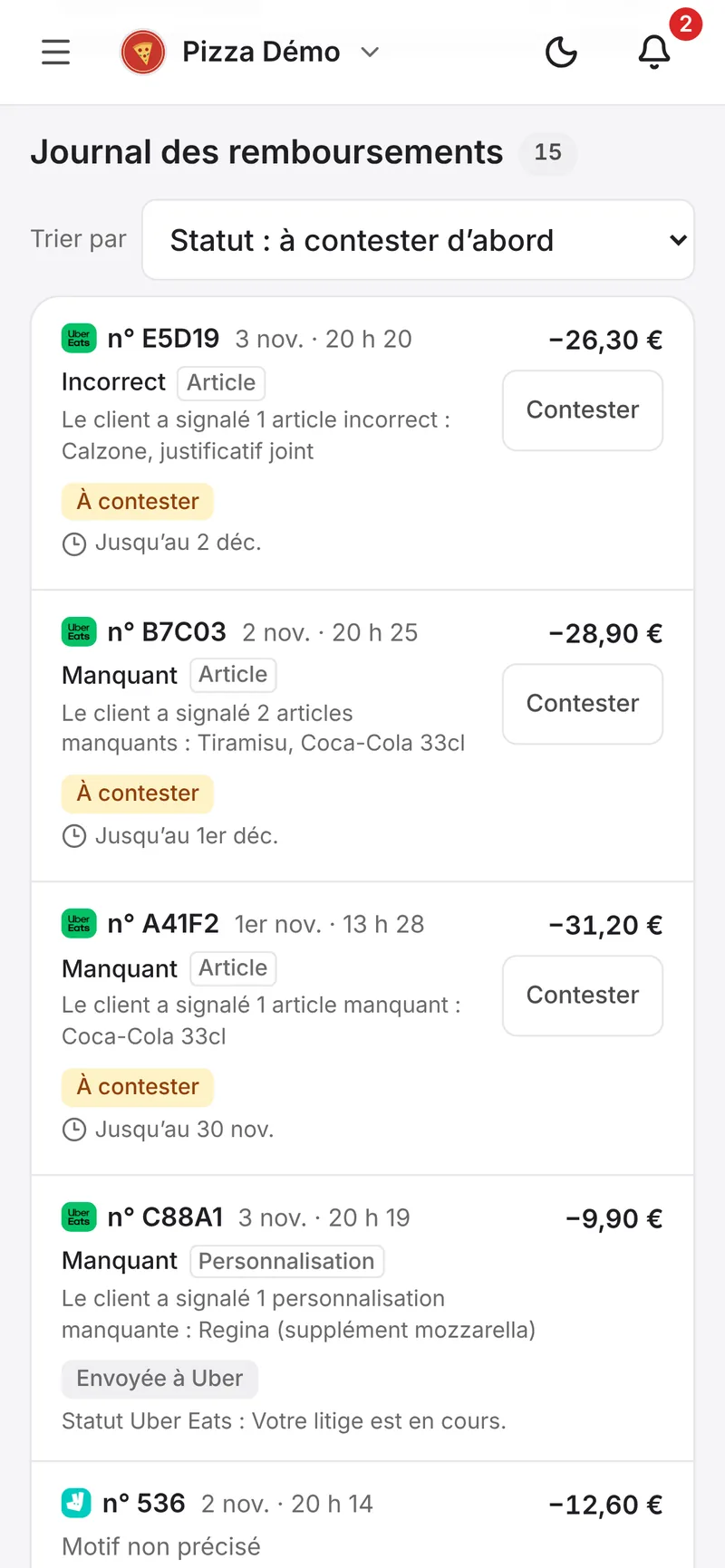
Deliview lists your Uber Eats and Deliveroo refunds order by order, with the amount taken and the deadline to dispute. With the Copilote plan, you dispute them in one click; with Délégation, Deliview disputes them for you, with the access you have given it. See what Deliview does against customer fraud.
In Deliview
Dispute an unjustified refund in one click
A customer says a dish is missing, the platform refunds them and takes the amount out of your payout. Deliview shows you every refund, with the deadline to dispute it.
Sources
- Gestion des remboursements en cas de commandes incorrectes ou incomplètes, Uber, accessed 6 October 2026.
- Comment résoudre les erreurs de commande, Uber, accessed 6 October 2026.
- Conditions complémentaires Uber Eats pour les Partenaires (France, applicables depuis le 1er septembre 2026), Uber, accessed 6 October 2026.
- Comment gérer et contester les remboursements dans le Portail Partenaire, Deliveroo, accessed 6 October 2026.
- Pourquoi ce remboursement est-il à ma charge ?, Deliveroo, accessed 6 October 2026.
- Politiques des partenaires : remboursement des clients et annulation des commandes, Deliveroo, accessed 6 October 2026.
- Pourquoi mes frais de remboursement pour les produits inclus dans une formule ont-ils changé ?, Deliveroo, accessed 6 October 2026.


