
Deliveroo Partner Hub: logging in, managing your restaurant and contacting support

By Tom Voisin, founder of Deliview Published 7 min read
No commitment.
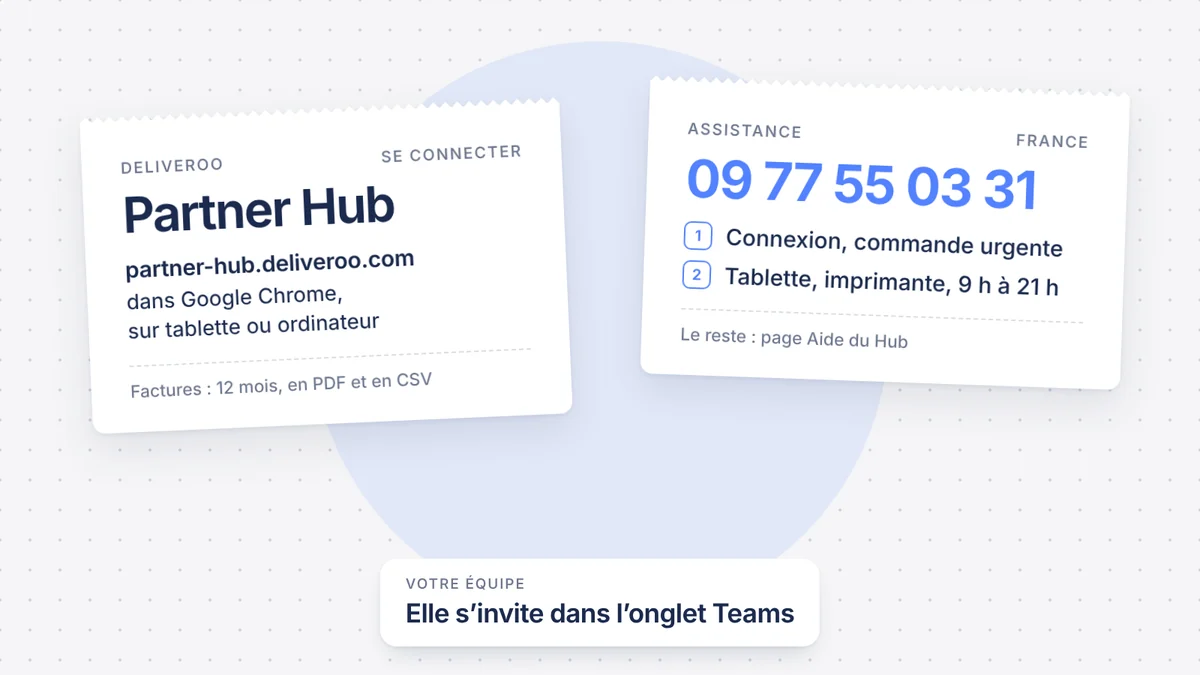
The Partner Hub is where you manage your restaurant on Deliveroo. Deliveroo also calls it “Portail Partenaire” (its French name), or simply the Hub. Here is how to log in, what it contains and how to contact support, based on Deliveroo’s help pages checked on 27 October 2026.
What is Deliveroo’s Partner Hub?
It is the site where you manage your whole business with Deliveroo, in one place and whenever you want. You follow live orders, edit your menu, launch promotions, check your delays, your rejections and your ratings, and download your invoices.
How do you log in to the Partner Hub?
The Hub opens in a browser, at partner-hub.deliveroo.com: that is where the “Se connecter” (log in) button on Deliveroo’s site for restaurants leads. One of Deliveroo’s help pages still mentions another address, restaurant-hub.deliveroo.net. For orders, Deliveroo recommends a tablet or a laptop kept for this purpose, with Google Chrome. A phone is possible, but Deliveroo advises against it: you risk missing orders on it.
The invitation to create your account goes to the owner, or to the main contact registered with Deliveroo. Nothing received after two weeks? Contact Deliveroo’s partner team. The link to create your password stops working after 14 days: Deliveroo then sets a temporary password; to choose your own, go through the Hub’s password reset page.
On a phone, the Hub can also be installed as a web app, the Partner Hub App, to receive its alerts: see the frequently asked questions at the bottom of the page.
What is in the Partner Hub?
| Section | What you do there |
|---|---|
| Live orders | Open the restaurant, accept or reject orders, print, mark a dish as sold out |
| Menu Manager | Dishes, photos, categories, meal deals and options, for one or several restaurants |
| Promotions | Create promotions for new customers or for regulars |
| Operations data | Orders prepared late, rejected orders, customer ratings |
| Popular dishes | The dishes your customers like |
| Invoices | A year of invoices to download |
| Teams | Invite or remove a member of your team |
| Help | The form to write to support |
| Settings | Your bank details, among other things |
Before launching a promotion, check that it brings in more than it costs you: our guide shows how to tell whether a promotion is profitable.
How do you manage live orders?
Open your restaurant every day in the live orders tab: otherwise, no orders come in. Accept or reject each order. With no answer after 10 minutes, Deliveroo rejects it for you. To reject, choose a reason: Deliveroo passes it on to the customer.
Printing doesn’t start by itself: click the print icon in the order details. The same screen lets you mark a dish as sold out for the day, or take it off the menu. If you deliver with your own riders, you also set your preparation and delivery times there, for normal hours and busy hours.
To miss nothing, Deliveroo advises keeping the tab open, turning off sleep mode, setting the volume to at least 50% and turning on browser notifications. Our settings for busy nights are in the guide on Uber Eats and Deliveroo tablets. And if your restaurant switches to closed for no reason, see why, and how to avoid it.
How do you edit your menu?
Open Menu Manager in the sidebar. There you edit your dishes and their photos, including the header photo, your categories, your meal deals and your options. The same menu can be published on several restaurants.
Without access to Menu Manager, use the form on the Help page: Deliveroo says it can take up to 3 days to apply the changes. Allergens remain your responsibility: Deliveroo asks you to keep them accurate and up to date. For photos, follow our advice on dish photos.
Where do you find your invoices and payments?
Deliveroo calculates your payments every week, on the orders from Monday to Sunday of the previous week. It pays them into the bank account given when you signed up. Your statement can be viewed every day in the Hub, with the previous day’s sales.
The invoice arrives every week by email, and can be downloaded in the Hub: as a PDF for the summary, as a CSV for the details. It stays there for 12 months.
- The summary gives your sales, the commission, what you owe Deliveroo, what it owes you, and the amount paid out.
- The details list each order, the fees, the discounts, and the orders cancelled, refunded or remade.
- The “Credit Note” column corresponds to commission adjustments on refunds. According to Deliveroo, it doesn’t change your payout.
No invoice in your inbox? Look in your junk mail, then download it from the Hub. Your bank details are at the bottom of your latest invoice. To change them, you need administrator access: the form is in Settings, then Payments.
To find the rate applied to you, follow our guide on the Deliveroo commission. A refund deducted from your invoice can be disputed: see how to dispute a refund.
How do you add or remove a member of your team?
It all happens in the Teams tab:
- Click the button to invite a new member (“Invite a new member” in Deliveroo’s help).
- Choose their role and the restaurant or restaurants they will have access to.
- Send the invitation: the person receives an email to create their account.
To remove someone, click the pencil next to their name, then delete them from the team. Their access to the Hub and to Deliveroo’s devices stops immediately: the same tab also manages access to the tablet.
Give each person the lowest role that is enough for them, and remove access on the day someone leaves the team.
How do you contact Deliveroo support?
For an everyday question, log in to the Hub and open Help, “Get in touch” section. Choose a topic and a sub-topic, write a few sentences, attach a screenshot if needed, then send. Deliveroo gives no response time: it only commits to getting back to you as soon as possible.
By phone, in France, Deliveroo gives 09 77 55 03 31:
- option 1: you can’t log in to the Hub, or a live order has an urgent problem;
- option 2: help logging in to the Hub, tablet or printer maintenance, every day from 9:00 to 21:00.
These lines only deal with Hub login, live orders and technical support. For everything else, Deliveroo points you to the Hub’s Help page.
Where should you start this week?
- Open Teams and remove the people who no longer work for you.
- Download your recent invoices as PDF and CSV: the Hub only keeps them for 12 months.
- Check your bank details, at the bottom of your latest invoice.
- Set up the order device: tab open, sleep mode off, volume at 50% or more.
- Write the support number down next to the tablet.
Deliview is added as one more member of your team: you invite it once in the Partner Hub, never with your password, and you remove its access whenever you want. It then brings your Deliveroo and Uber Eats sales together on one screen. See how Deliview connects to Deliveroo.
Frequently asked questions
What is the address of Deliveroo’s Partner Hub?
partner-hub.deliveroo.com: that is where the “Se connecter” button on Deliveroo’s site for restaurants leads. The Hub opens in a browser, and Deliveroo recommends Google Chrome.
Is there a Partner Hub app?
Yes, a web app: the Partner Hub App is installed from the Hub, in the browser. On iPhone, tap Share, then “Add to Home Screen”; on Android, follow the browser’s instructions. It alerts you to cancelled or rejected orders, and to new reviews for the Admin and Manager roles. To take orders, Deliveroo still recommends a tablet or a computer kept for this purpose.
I haven’t received the Hub invitation: what should I do?
It goes to the owner, or to the main contact registered with Deliveroo. After two weeks without an email, contact Deliveroo’s partner team. The password creation link expires after 14 days.
How long do invoices stay in the Hub?
12 months, in PDF and CSV. Download them regularly for your records.
In Deliview
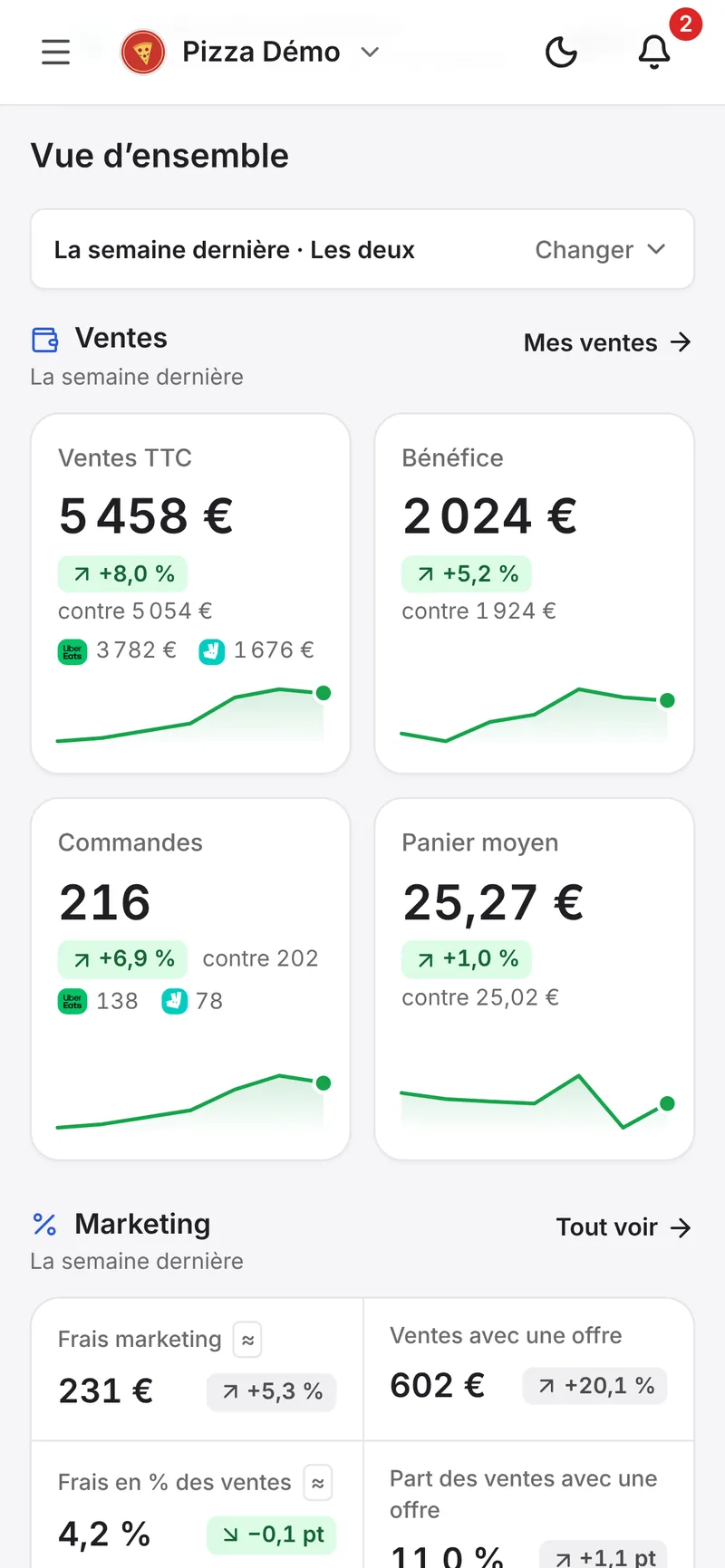
Your Uber Eats and Deliveroo data on one screen
Your sales, your prices against those in your area, your reviews and the refunds to dispute.
Sources
- Optimisez vos opérations de livraison, Deliveroo, accessed 27 October 2026.
- What is Partner Hub?, Deliveroo, accessed 27 October 2026.
- How to use Live Orders in Partner Hub, Deliveroo, accessed 27 October 2026.
- How can I manage my Deliveroo menu in Partner Hub?, Deliveroo, accessed 27 October 2026.
- How invoices and payments work on Deliveroo, Deliveroo, accessed 27 October 2026.
- Why am I not receiving my Deliveroo invoices?, Deliveroo, accessed 27 October 2026.
- How to add or remove users in Partner Hub, Deliveroo, accessed 27 October 2026.
- Submitting a support request in Partner Hub, Deliveroo, accessed 27 October 2026.
- How to manage your business on the go with the Partner Hub app, Deliveroo, accessed 27 October 2026.
- France (Contact us), Deliveroo, accessed 27 October 2026.


