
Uber Eats Manager: logging in, managing your restaurant and adding a user

By Tom Voisin, founder of Deliview Published 6 min read
No commitment.

Uber Eats Manager is the space where you manage your restaurant on Uber Eats, alongside the tablet that receives orders. Here is how to log in, what each section contains and who can have access, based on Uber’s French pages checked on 27 October 2026.
What is Uber Eats Manager?
It is the management tool Uber Eats gives its restaurants and merchants. Uber presents it as “an app you can download on your phone or access on the web” (translated from French). There you follow your sales, edit your menu, create ads and offers, and find your invoices and tax documents.
Orders, on the other hand, are taken with the Uber Eats Orders app (“Commandes Uber Eats” in French), on Uber’s tablet, on your own or on a computer. On a computer, it opens at a different address, merchants.ubereats.com/orders, and only in Google Chrome. Uber Eats Manager also shows your orders, but it is mainly for managing everything else.
How do you log in to Uber Eats Manager?
On a computer, go to merchants.ubereats.com/manager, the address given in Uber Eats’ FAQ. On a phone or tablet, install the Uber Eats Manager app, on iPhone, iPad or Android.
The first time you log in, look in your inbox for the invitation sent by welcome@uber.com, and follow its link to accept it. Then log in with the email and password you chose when you signed up. Be careful: they are “different from the ones you use on the tablet” (translated from French), Uber warns.
What is in each section?
| Section | What you do there |
|---|---|
| “Accueil” (home) | The summary of your sales, number of orders and average basket |
| “Établissement” (store) | Name, address, phone, special opening hours, collection instructions, and the Webshop for selling on your own website |
| “Commandes” (orders) | Your current, scheduled and past orders |
| “Menu” | Your menus, categories, dishes, photos and availability |
| “Performance” | Sales, operations (incorrect orders, refunds) and “Le Meilleur d’Uber Eats” (the best of Uber Eats) status |
| “Clients” (customers) | Your customer groups (new, loyal, inactive), their comments and your replies |
| “Rapports” (reports) | Reports to download: payments, operations, comments |
| “Annonces” (ads) | Your campaigns to be more visible in the app |
| “Marketing” | Uber Eats’ promotion tools |
| “Paiements” (payments) | Payouts per order, invoices, tax documents, bank details and payout frequency |
| “Utilisateurs” (users) | Your team and its access |
| “Paramètres” (settings) | General information, special opening hours, preparation time and documents |
Before launching an offer, check that it brings in more than it costs you: our guide shows how to tell if a promotion is profitable.
How do you edit your menu?
Choose “Menu” in the left-hand sidebar: it is Uber Eats’ menu maker. There you create and edit your menus, categories and dishes, add photos and set the availability of each item. For photos, follow our tips on dish photos.
Is your till linked to Uber Eats? Don’t touch the menu here: Uber asks you to edit it from the till.
The menu hours decide when your restaurant appears in the app. For a bank holiday or time off, add special opening hours: you avoid being shown as open when the kitchen is closed. Conversely, if your restaurant disappears mid-service, see why a restaurant shows as closed.
Where do you find your payments and invoices?
Uber Eats pays your takings every week by bank transfer. You can change the payout frequency in “Paiements”, then “Détails bancaires” (bank details).
Everything else is also in the “Paiements” tab:
- “Versements par commande” (payouts per order): choose the period, then “Créer un rapport” (create a report), for the breakdown of each order.
- “Versements” (payouts): choose your establishments and your dates, then download your payment invoices.
- “Paramètres des factures” (invoice settings): your tax number, your registration number, the company name and address. Uber says they are mandatory: they are used for its invoices, for the invoices issued in your name and for the declarations required by regulations, such as DAC7.
The documents to provide to Uber are listed in “Paramètres”, then “Documents”.
To check what Uber Eats takes on each order, follow our guide on Uber Eats commission. A refund withheld from your payout can be disputed: see how to dispute a refund.
How do you add a user, and with which role?
In the “Utilisateurs” section, you add a member of your team and choose their role. Uber Eats offers four, from the most limited to the broadest: each one includes the rights of the one before.
| Role | What it allows |
|---|---|
| “Analyste” (analyst) | Analytics, customer comments, orders, reports and “Le Meilleur d’Uber Eats” status |
| “Collaborateur” (collaborator) | The analyst’s rights, as well as: documents, opening hours, menu, online orders, preparation time and reports |
| “Gestionnaire” (manager) | The collaborator’s rights, as well as: replies to reviews sent without you, invoices, payments, tax information, user access and marketing tools |
| “Administrateur” (administrator) | The manager’s rights, as well as: bank details and changes of ownership |
Give everyone the lowest role that is enough for them: an employee who updates the menu doesn’t need your bank details. When someone leaves the team, remove their access the same day.
The same screen is used to invite your accountant or a service provider, without ever giving them your password.
Do you have several restaurants?
A new establishment is added from Uber Eats Manager, by copying the information of an existing establishment or by starting from scratch. In “Paiements”, you then choose the establishments whose invoices you want.
How do you contact Uber Eats support?
Through the Uber Eats Manager chat. Once you are logged in, “a chat bubble appears” (translated from French), says Uber Eats’ contact page.
Uber doesn’t openly publish the support number for restaurants: it asks you to “log in to your Uber account to display our support phone number” (translated from French). For common questions, its help centre remains the first port of call.
Where do you start this week?
- Open “Utilisateurs” and remove the people who no longer work for you.
- Fill in the invoice settings, if they are empty.
- Download last month’s invoices, in “Paiements”.
- Add your special opening hours for the end-of-year holidays.
- Install the app on your phone, to follow your sales away from the restaurant.
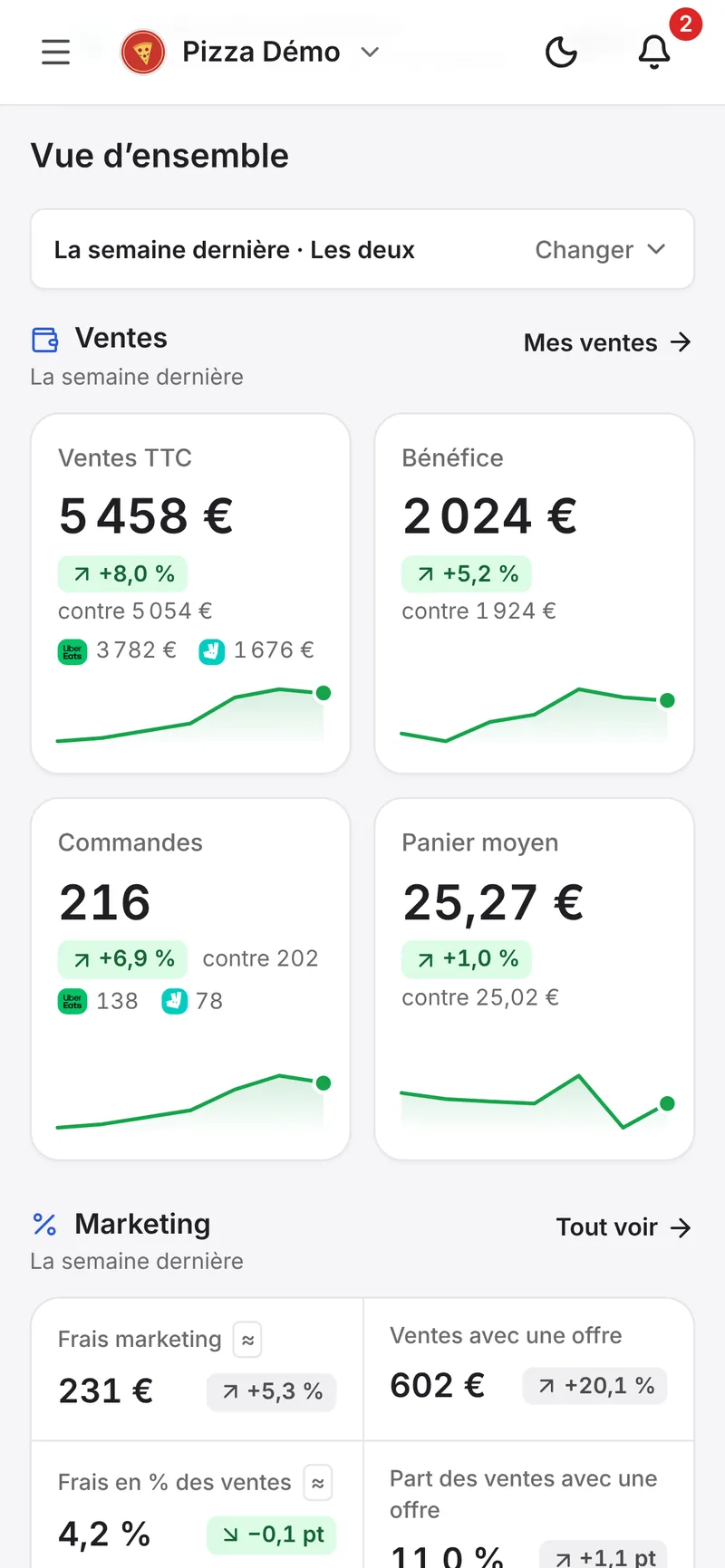
Deliview is added as one more user: you invite it once in Uber Eats Manager, never with your password, and you remove its access whenever you want. It then brings your Uber Eats and Deliveroo sales together on one screen. See how Deliview connects to Uber Eats.
Frequently asked questions
What is the Uber Eats Manager address?
merchants.ubereats.com/manager, on a computer. On a phone or tablet, the Uber Eats Manager app, on iPhone, iPad or Android. To take orders on a computer, the address is merchants.ubereats.com/orders.
Why don’t my tablet login details work?
Because Uber Eats Manager has its own: the email and password chosen when you signed up, “different from the ones you use on the tablet” (translated from French). The first time you log in, start from the invitation sent by welcome@uber.com.
How do you get the Uber Eats support number for restaurants?
Log in to your account: Uber only shows this number once you are logged in. The Uber Eats Manager chat is the other way.
Who can change my bank details?
Only the “Administrateur” role manages bank information, along with changes of ownership. Give it only to the people you trust with your account.
In Deliview
Your Uber Eats and Deliveroo data on one screen
Your sales, your prices against those in your area, your reviews and the refunds to dispute.
Sources
- Uber Eats Manager, Uber, accessed 27 October 2026.
- Questions fréquentes, Uber, accessed 27 October 2026.
- Revenus et factures, Uber, accessed 27 October 2026.
- Contactez-nous, Uber, accessed 27 October 2026.
- Gérez votre activité avec l’application Commandes Uber Eats, Uber, accessed 27 October 2026.
- Uber Eats Manager, App Store, accessed 27 October 2026.


